Skip to content
Calcipedia
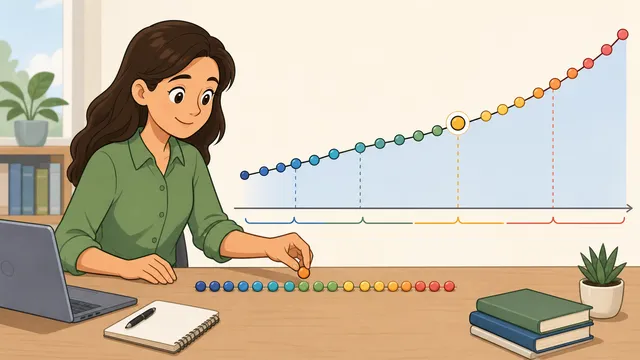
Statistics Calculator instructional illustration

Statistics Calculator

Calculate descriptive statistics from one dataset.

Last updated

Statistics calculator Paste a raw dataset once to calculate mean, median, mode, average, range, midrange, quartiles, IQR, variance, standard deviation, standard error, coefficient of variation, relative standard deviation, sum of squares, and outlier checks together.

Quick datasets

Mean and median stay close, so the average is a reasonable centre.

Descriptive statistics

Mean: 77.14

7 values from 68 to 85; mean 77.14, median 78.00, mode none.

7

Count

77.14

Average / mean

78

Median

None

Mode

StatisticResultWhat it means
Mean / average77.14Sum divided by count.
Median78Middle value after sorting.
ModeNoneMost frequent value or values.
Range17Maximum minus minimum.
Midrange76.5Average of minimum and maximum.
Population variance29.84Sum of squares divided by n.
Population standard deviation5.46Square root of population variance.
Sample standard deviation5.9Square root of sample variance.
Standard error2.23Sample standard deviation divided by square root of n.
Coefficient of variation7.65%Sample standard deviation relative to the mean.
Sum of squares208.86Total squared deviation from the mean.
Mean absolute deviation4.69Average absolute distance from the mean.
Root mean square77.34Square root of the average squared value.
Skewness-0.33Adjusted shape check for left or right pull.
Excess kurtosis-0.72Adjusted tail-heaviness relative to a normal curve.
OutliersNoneValues beyond the 1.5 x IQR fences.

Quartiles and IQR

Q1
73.5
Q3
81
Interquartile range
7.5
Outlier fence
62.25 to 92.25
Five-number summary
68, 73.5, 78, 81, 85

Relative spread

Relative standard deviation and coefficient of variation express sample spread as a percentage of the mean. For this dataset, RSD / CV is 7.65%.

Distribution shape

Skewness
-0.33
Shape note
Roughly balanced
Excess kurtosis
-0.72
Mean absolute deviation
4.69
Root mean square
77.34

Frequency table

Counts repeated values so the mode and relative frequency are auditable.

ValueCountRelative frequency
68114.29%
72114.29%
75114.29%
78114.29%
80114.29%
82114.29%
85114.29%
How to interpret this dataset The mean and median are close, so the dataset is not strongly pulled in one direction. No values fall outside the 1.5 x IQR outlier fences. The coefficient of variation is 7.65%, which compares spread to the size of the mean. Adjusted skewness is -0.33 and excess kurtosis is -0.72, giving a quick shape check before choosing mean-based summaries.

Weighted average calculator

Use value and weight pairs when every row should not count equally

A weighted average needs paired inputs, so it uses its own textarea. Enter one value and one weight per line, such as a grade and its course weight.

84.8

Weighted average

85.33

Unweighted average

1

Total weight

← All Statistics calculators

Descriptive Statistics

Statistics calculator: mean, median, mode, standard deviation, quartiles, and outliers

A statistics calculator takes a raw dataset and computes the key descriptive statistics in one step: count, sum, mean, median, mode, average, range, midrange, quartiles, interquartile range, variance, population standard deviation, sample standard deviation, standard error, coefficient of variation, relative standard deviation, sum of squares, weighted average, and outlier checks.

Use one descriptive statistics calculator instead of several thin tools

The consolidated statistics calculator is designed for the way most dataset questions start: you have a list of numbers and need the main summary measures together. Instead of using a separate mean calculator, median calculator, mode calculator, range calculator, variance calculator, standard deviation calculator, standard error calculator, quartile calculator, coefficient of variation calculator, sum of squares calculator, and outlier calculator, this page keeps those related answers on one auditable worksheet.

That matters for interpretation. A mean by itself can be distorted by an extreme value, a range by itself can exaggerate spread, and a standard deviation by itself is hard to judge without the mean, median, quartiles, and outlier fences beside it. Seeing the full set of descriptive statistics together makes it easier to decide which result best represents the dataset.

  • Paste a raw numeric dataset once and calculate all equal-weight statistics together.
  • Use the weighted average panel when each row has a different weight.
  • Use anchored result rows for long-tail tasks such as variance, standard error, IQR, RSD, CV, sum of squares, and outlier checks.
  • Keep sample and population spread separate so the denominator choice is visible.

Central tendency: mean, average, median, and mode

The mean, also called the arithmetic average, is the sum of all values divided by the count. It uses every value, so it is useful when the data are reasonably balanced and every observation should count equally. The calculator also labels this as the average because many searches use average calculator and mean calculator for the same arithmetic operation.

The median is the middle value after sorting the dataset. It is often more representative than the mean when the data contain outliers or are strongly skewed. The mode is the most frequent value; a dataset can have no mode, one mode, or several modes tied for the highest frequency.

Mean = Σx / n

Add every value, then divide by the number of values.

Median = middle sorted value

For an even count, average the two central sorted values.

Mode = most frequent value

If no value appears more often than the others, the calculator reports no mode.

Spread: range, midrange, variance, standard deviation, and standard error

Range is the maximum minus the minimum. Midrange is the average of the minimum and maximum. Both are quick spread checks, but they depend heavily on extreme values. Variance and standard deviation describe spread around the mean, which is why they are shown next to the sum of squares that drives both formulas.

Population variance divides the sum of squared deviations by n. Sample variance divides by n - 1, applying Bessel's correction when the dataset is a sample used to estimate a larger population. Sample standard deviation is the square root of sample variance, and standard error divides sample standard deviation by the square root of the sample size.

Range = max - min

The full distance between the smallest and largest values.

Population variance = Σ(x - μ)^2 / n

Use when the dataset is the full population being described.

Sample variance = Σ(x - xbar)^2 / (n - 1)

Use when the dataset is a sample from a larger population.

Standard error = s / sqrt(n)

The estimated standard deviation of the sample mean.

Quartiles, interquartile range, and outliers

Quartiles split sorted data into lower, middle, and upper parts. The first quartile (Q1) marks the lower-quarter position, the third quartile (Q3) marks the upper-quarter position, and the interquartile range (IQR) is Q3 minus Q1. IQR is often more robust than range because it focuses on the middle half of the data.

The outlier check uses the common 1.5 x IQR rule. Values below Q1 - 1.5 x IQR or above Q3 + 1.5 x IQR are flagged for review. The calculator also shows z-score flags when a value is more than three sample standard deviations from the mean, but neither method automatically proves a value is wrong; it only identifies observations that deserve context.

IQR = Q3 - Q1

The spread of the middle half of the sorted dataset.

Lower fence = Q1 - 1.5 x IQR

Values below this fence are flagged by the IQR rule.

Upper fence = Q3 + 1.5 x IQR

Values above this fence are flagged by the IQR rule.

Relative spread: coefficient of variation and relative standard deviation

Coefficient of variation and relative standard deviation express sample standard deviation as a percentage of the absolute mean. That makes them useful when comparing variability between datasets with different units or scales. For example, a standard deviation of 5 means something different when the mean is 10 than when the mean is 500.

The calculator leaves CV and RSD undefined when the mean is zero, because dividing by zero would create a misleading percentage. When the mean is close to zero, treat CV and RSD cautiously even if a numeric value is shown.

CV = (sample standard deviation / |mean|) x 100%

Relative spread as a percentage of the mean.

RSD = CV

Relative standard deviation is the same percentage expression in this descriptive-statistics context.

Distribution shape, MAD, RMS, and frequency table checks

Strong descriptive statistics tools do more than return mean, median, mode, range, variance, and standard deviation. This calculator now adds mean absolute deviation, root mean square, adjusted skewness, adjusted excess kurtosis, and a frequency table so repeated values and distribution shape are visible before you rely on one headline average.

Mean absolute deviation reports the average absolute distance from the mean, which is often easier to explain than squared deviations. Root mean square is useful when magnitudes matter because it squares each value before averaging. Skewness helps identify whether the distribution is pulled left or right, while excess kurtosis gives a quick tail-heaviness check. The frequency table makes the mode and relative frequency auditable by showing how often each distinct value appears.

MAD = Σ|x - xbar| / n

Average absolute distance from the arithmetic mean.

RMS = sqrt(Σx^2 / n)

Square root of the average squared value.

Relative frequency = value count / n

The share of the dataset represented by one distinct value.

Weighted average and when equal-weight statistics are not enough

Most descriptive statistics on this page treat every value as one observation. A weighted average is different: each value is paired with a weight, such as a grade and course credit, a price and quantity, or a score and percentage contribution. The weighted panel therefore asks for value, weight pairs rather than a single raw list.

Use the weighted average result when the weights are part of the problem definition. Do not mix weighted and unweighted interpretations unless you are intentionally comparing what changes when repeated or higher-importance rows carry more influence.

Weighted average = Σ(value x weight) / Σweight

Each value contributes in proportion to its weight.

Worked example: one dataset, many statistics

Take the dataset 24, 25, 26, 27, 28, 29, 95. The median sits near the main cluster, while the mean is pulled upward by 95. The range and standard deviation also become large because both respond strongly to the high value. The quartile and IQR rows then make the same issue visible as an outlier fence check.

This is the reason the consolidated statistics calculator is safer than a single average calculator for messy data. The average is still correct, but the median, quartiles, IQR, standard deviation, coefficient of variation, and outlier rows explain whether that average is a useful summary.

Frequently asked questions

What is the difference between mean, median, and mode?

The mean is the arithmetic average, calculated as sum divided by count. The median is the middle sorted value, so it is more resistant to outliers. The mode is the most frequent value, which can be none, one value, or several tied values.

Is average the same as mean?

In this calculator, average means arithmetic mean: add the values and divide by the count. Other averages exist, such as weighted, geometric, or harmonic means, but the unweighted average row is the arithmetic mean.

When should I use sample standard deviation instead of population standard deviation?

Use population standard deviation when the dataset contains the entire group being described. Use sample standard deviation when the values are a sample from a larger population. The sample formula divides by n - 1 to reduce the tendency to understate population variability.

What does standard error tell me?

Standard error estimates how much a sample mean would vary from sample to sample. It is calculated as sample standard deviation divided by the square root of n, so it usually gets smaller as sample size increases.

How does the statistics calculator find quartiles and IQR?

The calculator sorts the values, interpolates the first and third quartile positions, then subtracts Q1 from Q3 to find the interquartile range. The IQR describes the spread of the middle half of the dataset.

How are outliers detected?

The calculator uses the 1.5 x IQR rule: values below Q1 - 1.5 x IQR or above Q3 + 1.5 x IQR are flagged. It also reports z-score flags when a value is more than three sample standard deviations from the mean.

What is the difference between coefficient of variation and relative standard deviation?

For this descriptive-statistics workflow, coefficient of variation and relative standard deviation are the same percentage: sample standard deviation divided by the absolute mean, multiplied by 100. The calculator reports N/A when the mean is zero.

What do skewness and excess kurtosis tell me?

Skewness estimates whether the dataset is pulled left or right. Positive skewness usually means higher values stretch the right side, while negative skewness means lower values stretch the left side. Excess kurtosis is a compact tail-heaviness check relative to a normal curve, but it needs enough non-identical data to be useful.

Why does the calculator include a frequency table?

The frequency table counts each distinct value and shows its relative frequency. That makes the mode auditable, helps reveal repeated values, and gives a quick grouped-data view before you decide whether the mean, median, or mode is the best summary.

When should I use the weighted average calculator panel?

Use the weighted average panel when each value has a different weight, such as grades with different credit values or prices with different quantities. If every value should count equally, use the main dataset input instead.

Can I paste numbers from a spreadsheet?

Yes. The calculator accepts comma-separated, space-separated, semicolon-separated, tab-separated, and line-break-separated numeric values. Invalid tokens are not ignored; the warning state asks you to fix them so the result is auditable.

Why did the individual mean, median, mode, variance, and outlier pages move here?

Those pages covered overlapping descriptive-statistics tasks. Their long-tail keywords now live in anchored calculator sections, result labels, article headings, FAQs, and redirects on this canonical statistics calculator so users get a fuller answer without thin duplicate pages competing with each other.
Guides

Featured in articles

Step-by-step guides that use this calculator to solve real problems.

Also in Statistics

You may also need

Related

More from nearby categories

These related calculators come from the same leaf category, nearby sibling categories, or the same top-level topic.