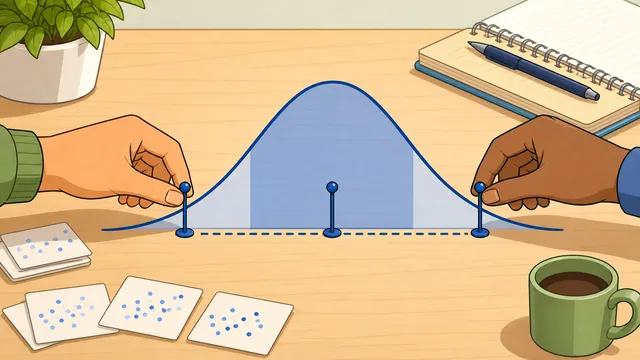
What sample size do I need for 95% confidence and ±5% margin of error?
For a very large population and the standard 50% expected proportion, the answer is 385 completed responses. If the population is finite and relatively small, the finite population correction can reduce that number. For example, a 1,000-person audience drops to about 278 completes under the same settings.
What happens if I get fewer responses than the required sample size?
Your margin of error will be wider than intended. If you aimed for ±5% at 95% confidence but only reached half the required sample, your actual margin of error is approximately ±7%. The survey results are still valid, but the uncertainty around them is larger than planned.
Does sample size depend on total population size?
For large populations (over 100,000) the required sample size is nearly independent of total population — 385 people can represent a city of 1 million almost as well as a city of 10 million, at the same confidence and margin of error. Population size only matters materially when you are sampling a significant fraction of a small, finite group.
Is sample size the number of people invited or the number who answered?
Sample size usually means the number of completed responses used in the analysis, not the number of invitations sent. If you need 385 completes and expect a 25% response rate, you should invite about 1,540 people. Invitations are a separate planning step from sample size itself.
How many invitations do I need if my response rate is 25%?
Divide the completed-response target by 0.25. If you need 385 completes, that works out to about 1,540 invitations. If your sample is finite and the corrected target is 278 completes, you would plan for about 1,112 invitations instead.
Why does the calculator say I need 385 respondents?
385 is the classic sample size for 95% confidence with ±5% margin of error and a 50% expected proportion from an infinite (or very large) population. It appears so often because those are the most commonly used parameters in survey research. If you change any of these defaults — for example, accepting ±3% margin of error instead of ±5% — the required sample size changes substantially (to 1,068 in this case).
Why does a smaller margin of error increase sample size so much?
Because margin of error sits in the denominator of the sample-size formula and gets squared. Tightening a survey from ±5% to ±2.5% does not merely double the required completes — it increases them by about four times. That is why high-precision polling and customer research programs become much more expensive once the target interval gets narrow.
Does an online panel or email list change the sample size target?
The statistical sample-size target for a simple proportion estimate does not change just because the responses come from an online panel, customer list, or email campaign. What does change is your fieldwork plan: response rate, screening incidence, and representativeness can all affect how many invitations you need and how trustworthy the finished sample will be.
When should I use the finite population correction?
Use it when your sample would represent a meaningful share of the whole population. It matters most for small, bounded audiences such as a class roster, membership list, customer file, or employee population. For very large audiences the correction usually makes only a small difference, so leaving the population blank is fine.
What confidence level should I choose for a survey?
95% is the most common default because it balances precision and practicality. Use 90% when you only need a directional read and want a smaller sample. Use 99% when the decision is high-stakes or you need more caution, understanding that the sample size and invitation count will increase materially.
Why do I need far more responses at ±3% than at ±5% margin of error?
Because margin of error sits in the denominator of the formula and gets squared. Tightening a survey from ±5% to ±3% does not increase the sample a little; it roughly triples the completed-response target under the same confidence level and expected proportion. That is why precision planning is often the biggest cost decision in survey design.
What is the difference between response rate and completion rate?
Response rate is about how many invited people actually start or submit the survey, depending on the definition your team uses. Completion rate is about how many of those starters make it to the end. They affect different layers of planning: response rate changes how many invitations you send, while completion rate changes how many starts you need to reach the completed-response target.
Why is 385 respondents not enough when I need age or region breakouts?
Because 385 is the classic topline sample for one overall proportion estimate at 95% confidence and ±5% margin of error. If you need four subgroups with similar precision, you do not divide 385 across them and keep the same quality. You usually need roughly 385 within each important subgroup, which can turn a one-number sample into a much larger fieldwork plan.
When should I survey the whole population instead of taking a sample?
If the audience is small and easy to reach, a census can be simpler than defending a sample. This often happens with small employee groups, single classes, small customer councils, or member panels. Once the finite-population correction pushes the recommended sample close to the whole audience, surveying everyone may be the more practical option.
Does this sample size calculator work for A/B tests or experiments?
Not directly. This calculator is for proportion-based surveys and polls, where you want a target for one estimate with a chosen margin of error and confidence level. A/B tests usually need power analysis, a baseline conversion rate, and a minimum detectable effect, so a dedicated experiment calculator is a better fit.
What is design effect in a survey sample size calculator?
Design effect is a multiplier that reflects how much less efficient a complex survey design is than a simple random sample. If the design effect is 1.5, you generally need about 50% more completed responses than the simple-random-sample baseline to achieve the same level of precision. This often matters when a project uses weights, clustered recruitment, or other complex sampling features.
Why can weighting make my effective sample smaller than my raw sample?
Because unequal weights increase variance. A weighted survey may have 1,000 completed interviews on paper, but if the weight structure is uneven the precision can look more like a smaller simple-random sample. That is why design-effect planning is useful before launch: it turns the expected loss of efficiency into a more realistic completed-response target.
Should I multiply sample size by design effect before or after response-rate planning?
Usually before. First estimate the completed-response target that accounts for design effect, then convert that adjusted target into starts and invitations using your expected completion rate and response rate. That sequence is operationally clearer because it keeps the statistical precision adjustment separate from the fieldwork-yield assumptions.